
Generate / Retrieve VID
Step 1: Open the MyAadhaar Portal · Step 2: Click on "Virtual ID (VID) Generator" · Step 3: Select "Generate VID" or "Retrieve VID" · Step 4: Enter Your Aadhaar Number and Captcha · Step 5: Request and Enter OTP · Step 6: Receive Your 16-Digit VID via SMS.
What Exactly Is a VID?
Your Aadhaar number is linked to your biometrics, bank accounts, phone number, and a bunch of government services. Sharing it casually with every app, telecom store, or random agency that asks for it isn't the smartest move.
That's where the Virtual ID (VID) comes in. It's a 16-digit temporary number that works as a stand-in for your actual 12-digit Aadhaar number. You can use it for authentication and e-KYC without ever revealing your real Aadhaar number. The agency on the other end can verify your identity, but they can't trace it back to your actual Aadhaar.
| Sr. No. | Generate VID Methods |
|---|---|
| 1 | Generate VID Online (UIDAI Website) |
| 2 | Generate VID via mAadhaar App |
| 3 | Generate VID via SMS |
| 4 | Retrieve a Forgotten VID |
| 5 | VID vs Aadhaar Number |
In Short:
A VID (Virtual ID) is a temporary, revocable 16-digit number mapped to your Aadhaar.
- It's generated by UIDAI against your Aadhaar number.
- Only one VID can be active per Aadhaar at a time.
- You can generate a new VID as many times as you want. Each new one automatically deactivates the previous one.
- Nobody can reverse-engineer your Aadhaar number from a VID.
- It works everywhere your Aadhaar number works: authentication, e-KYC, downloading e-Aadhaar, etc.
- No agency is allowed to refuse your VID and insist on your actual Aadhaar number.
- No agency is allowed to store your VID after authentication is done.
What You Need Before You Start
This applies to all three methods below:
- Your 12-digit Aadhaar number (or at least the last 4 digits for SMS method)
- A mobile number registered with your Aadhaar (you'll receive an OTP on it)
Method 1: Generate VID Online (UIDAI Website)
This is the most common method.
- Go to myaadhaar.uidai.gov.in
- Click on "VID Generator" under Aadhaar Services.
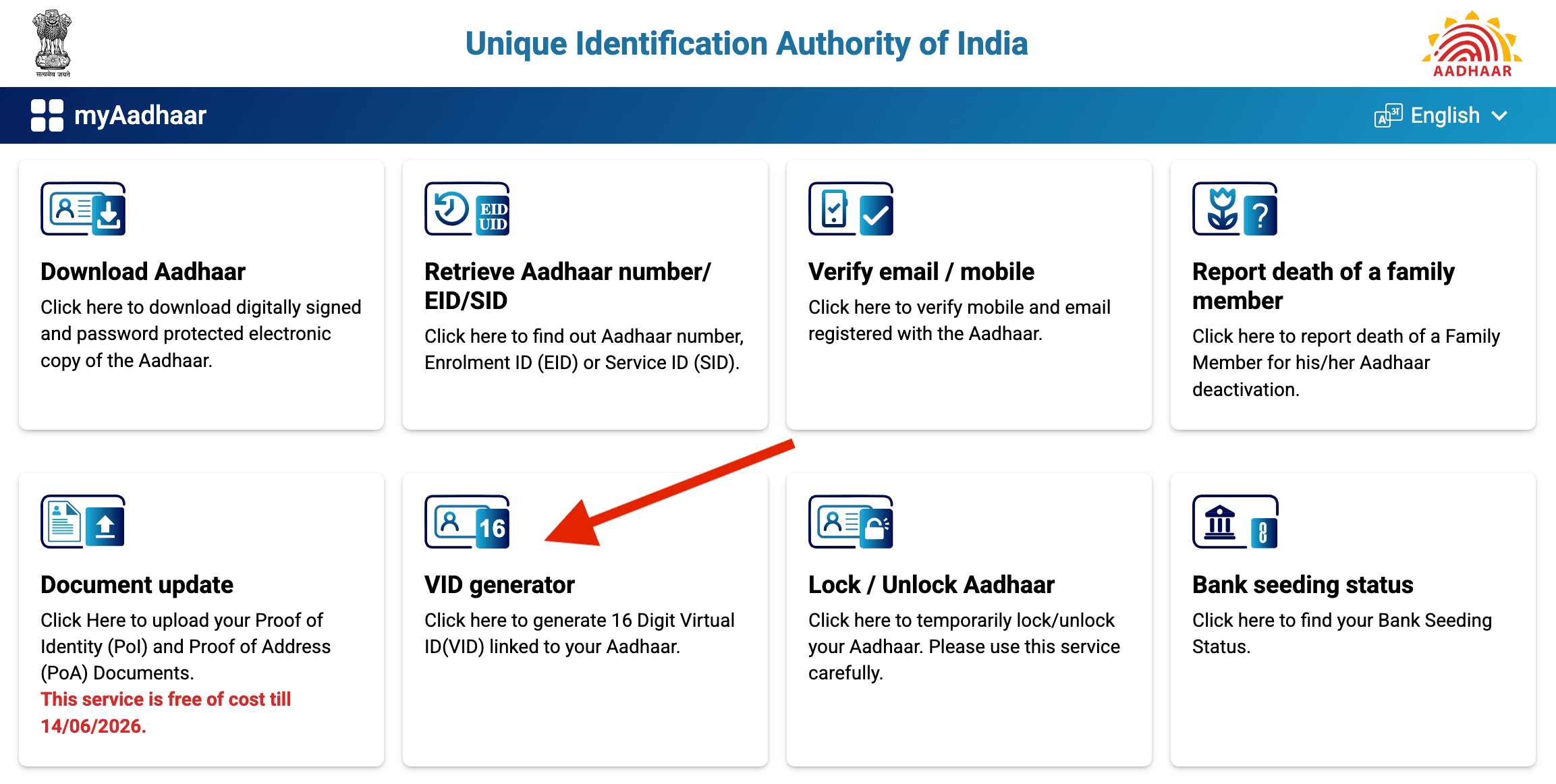
- On the next page, select "Generate VID".
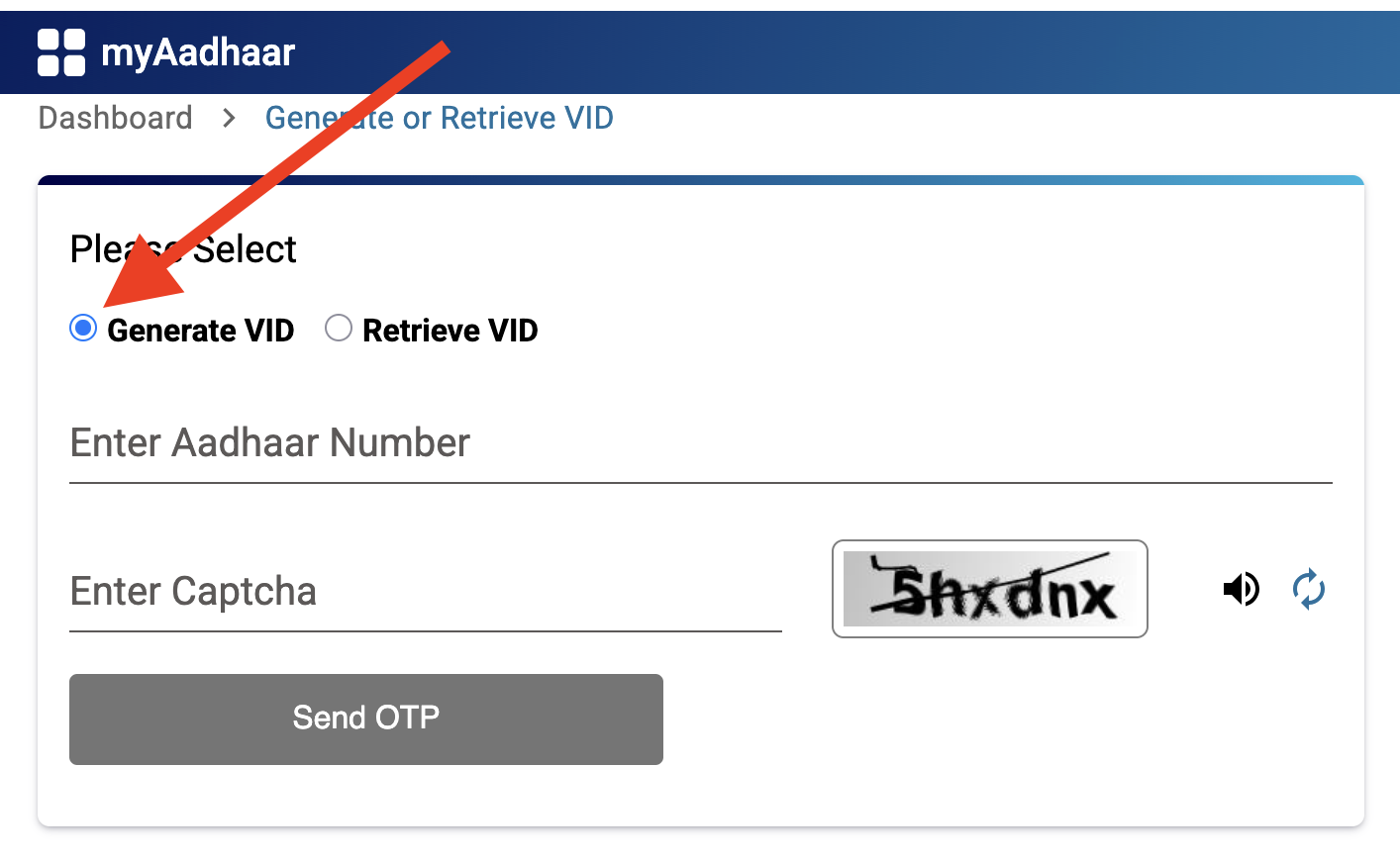
- Enter your 12-digit Aadhaar number and the captcha code.
- Click "Send OTP." You'll get an OTP on your registered mobile number.
- Enter the OTP and click "Submit".
- Done. You'll see a confirmation message, and the 16-digit VID will be sent to your registered mobile via SMS.
Method 2: Generate VID via mAadhaar App
If you prefer doing things on your phone:
- Download the mAadhaar app from Google Play Store or Apple App Store.
- Log in using your Aadhaar number and registered mobile number.
- On the home screen, tap "Virtual ID Generator".
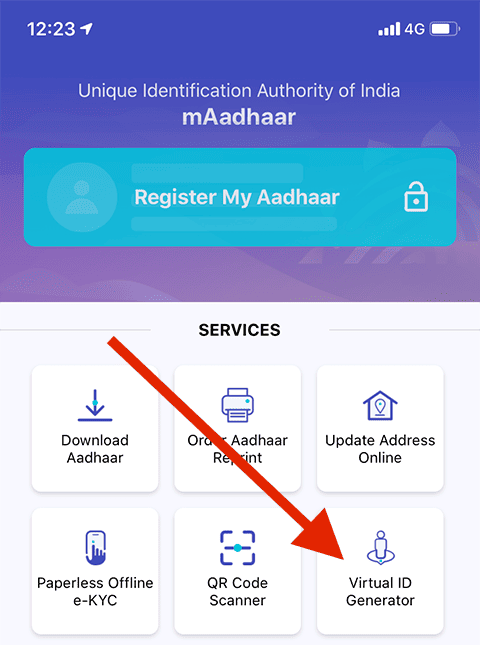
- Enter your Aadhaar number and the captcha code.
- Tap "Request OTP" and enter the OTP you receive.
- Tap "Generate VID".
- Your 16-digit VID will be displayed and also sent to your registered mobile.
Method 3: Generate VID via SMS
No internet? No problem. This works on any basic phone.
- Open your SMS app on the mobile number registered with your Aadhaar.
- Type: GVID [last 4 digits of your Aadhaar] For example, if your Aadhaar number ends in 5678, type:
GVID 5678 - Send it to 1947.
- You'll receive an SMS with your 16-digit VID.
How to Retrieve a Forgotten VID
If you've already generated a VID but can't remember it, you don't need to generate a new one. You can retrieve the existing one.
The process is almost identical to generating a new VID:
Online:
- Go to myaadhaar.uidai.gov.in.
- Click "VID Generator".
- This time, select "Retrieve VID" instead of "Generate VID".
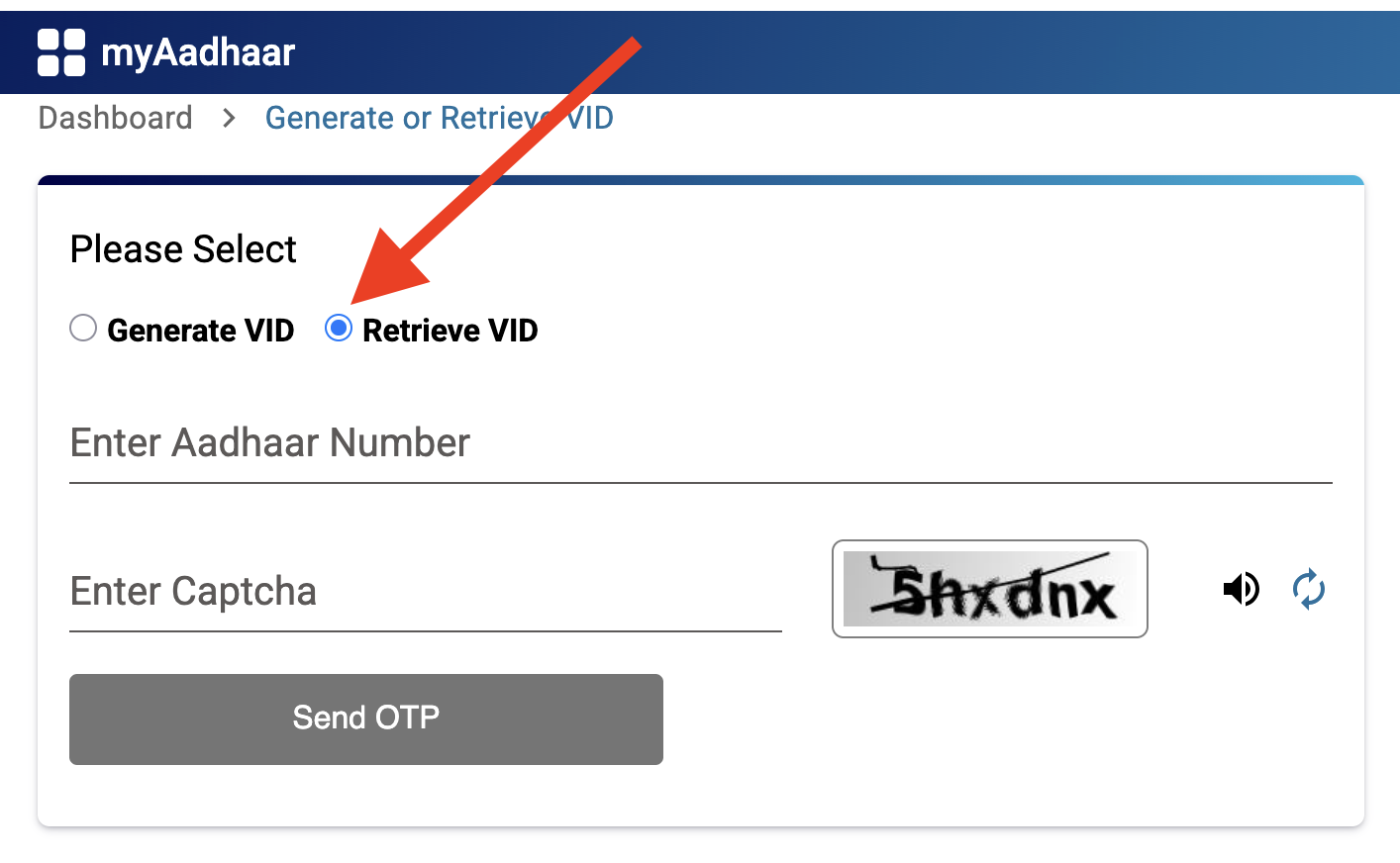
- Enter your Aadhaar number, captcha, and verify with OTP.
- Your existing VID will be sent to your registered mobile number.
Via SMS:
Send RVID [last 4 digits of Aadhaar] to 1947 from your registered mobile number. You'll get your existing VID via SMS.
When Should You Use VID?
The short answer: whenever someone asks for your Aadhaar number and you'd rather not share it.
Some common scenarios:
- Opening a bank account or getting a loan: Banks accept VID for e-KYC
- Getting a new SIM card: Telecom companies can verify your identity using VID
- Insurance policy purchases: VID works for KYC here too
- Government services that need Aadhaar authentication: VID is accepted
- Downloading your e-Aadhaar: You can use VID instead of your Aadhaar number on the UIDAI website
VID vs Aadhaar Number: What's the Difference?
| Aadhaar Number | Virtual ID (VID) | |
|---|---|---|
| Digits | 12 | 16 |
| Permanent? | Yes, for life | Temporary, can be regenerated |
| Can be traced back? | N/A | No. VID cannot reveal your Aadhaar number |
| Can be revoked? | No | Yes, just generate a new one |
| Accepted for auth/KYC? | Yes | Yes, everywhere Aadhaar is accepted |
| Should you share freely? | No | Safer to share, but still don't be careless |
Important Notes
One VID at a time.
You can't have multiple active VIDs for the same Aadhaar. Generating a new one automatically deactivates the old one.
No expiry date, technically.
Your VID stays valid until you generate a new one. But it's good practice to regenerate periodically, especially after sharing it with an agency.
Registered mobile is essential.
Every method of generating or retrieving VID requires OTP verification on your Aadhaar-linked mobile number. If your number has changed or isn't linked, update it at an Aadhaar Seva Kendra first.
VID doesn't replace Aadhaar.
It's an extra layer of privacy, not a separate identity. Your Aadhaar number still exists and works as before.
Use biometric lock too.
VID protects your Aadhaar number from being shared unnecessarily. Biometric lock (available in the mAadhaar app) protects your fingerprints and iris from being used without your knowledge. Using both together is the best setup.
Aadhaar Guides — Related Articles
Detailed guides covering Aadhaar card download, update, enrolment, PAN linking, and more.
Step 1: Open the MyAadhaar Portal · Step 2: Click on "Virtual ID (VID) Generator" · Step 3: Select "Generate VID" or "Retrieve VID" · Step 4: Enter Your Aadhaar Number and Captcha · Step 5: Request and Enter OTP · Step 6: Receive Your 16-Digit VID via SMS.
Aadhaar Complaint & GrievanceIf you're dealing with an Aadhaar problem, whether it's a wrong name, failed fingerprint, this guide walks you through exactly how to file a complaint and what to expect.
Aadhaar Card Download GuideLearn how to download your Aadhaar card online using the UIDAI portal, mAadhaar app, DigiLocker, and other official methods. Step by step, simple and quick.
Aadhaar Card Status GuideCheck your Aadhaar card status online for enrolment, update, and PVC card requests using myAadhaar portal, mAadhaar app, and UMANG app. You can also track your Aadhaar status by calling the UIDAI helpline at 1947.
Aadhaar Card Update GuideLearn how to update your Aadhaar card online and offline using the UIDAI portal, mAadhaar app, and nearest Aadhaar centre. Update your name, address, date of birth, mobile number, email, and photo easily.
My Aadhaar UIDAI Login GuideStep 1: Open the MyAadhaar Portal · Step 2: Enter Your Aadhaar Number · Step 3: Enter the Captcha · Step 4: Request OTP · Step 5: Enter OTP and Login.
Aadhaar Enrolment GuideLearn how to enrol for a new Aadhaar card in 2026. This guide covers required documents, appointment booking, and the step-by-step enrolment process for adults, children, NRIs, and foreign nationals.
Order Aadhaar PVC Card GuideLearn how to order your Aadhaar PVC card online through the myAadhaar portal and mAadhaar app. Check your PVC card order status, track delivery, fees, required documents, etc.
Retrieve Aadhaar Number GuideLearn how to retrieve your lost or forgotten Aadhaar number online and offline using the myAadhaar portal, mAadhaar app, the new Aadhaar app, the UIDAI helpline 1947, or by visiting an Aadhaar Enrolment Centre.
Aadhaar PAN Link GuideLearn how to link your PAN with Aadhaar online, via SMS, and offline using the Income Tax portal. Step-by-step guide covering link status check, late fee payment, name mismatch fix, PAN reactivation, and exemptions.
mAadhaar AppLearn everything about the mAadhaar app. Download, setup, all features explained (VID, TOTP, biometric lock, eKYC, and more), and how it differs from the new Aadhaar app launched in 2026.
New Aadhaar App 2026Learn everything about the new Aadhaar app launched by UIDAI in 2026. Selective sharing, face authentication, offline verification, and mobile number update. Complete setup guide.
Protect Your AadhaarLearn how to protect your Aadhaar from misuse using biometric lock, Virtual ID, masked Aadhaar, Aadhaar Authentication History, and more. Step by step, simple and practical.
Aadhaar Authentication FailedLearn how to fix Aadhaar authentication failures caused by locked biometrics, worn fingerprints, server issues, and data mismatches. Step by step, simple and practical.
Aadhaar Enabled Payment SystemLearn how AePS (Aadhaar Enabled Payment System) lets you withdraw cash, check your balance, and receive government benefits using just your Aadhaar number and fingerprint.